Project overview#
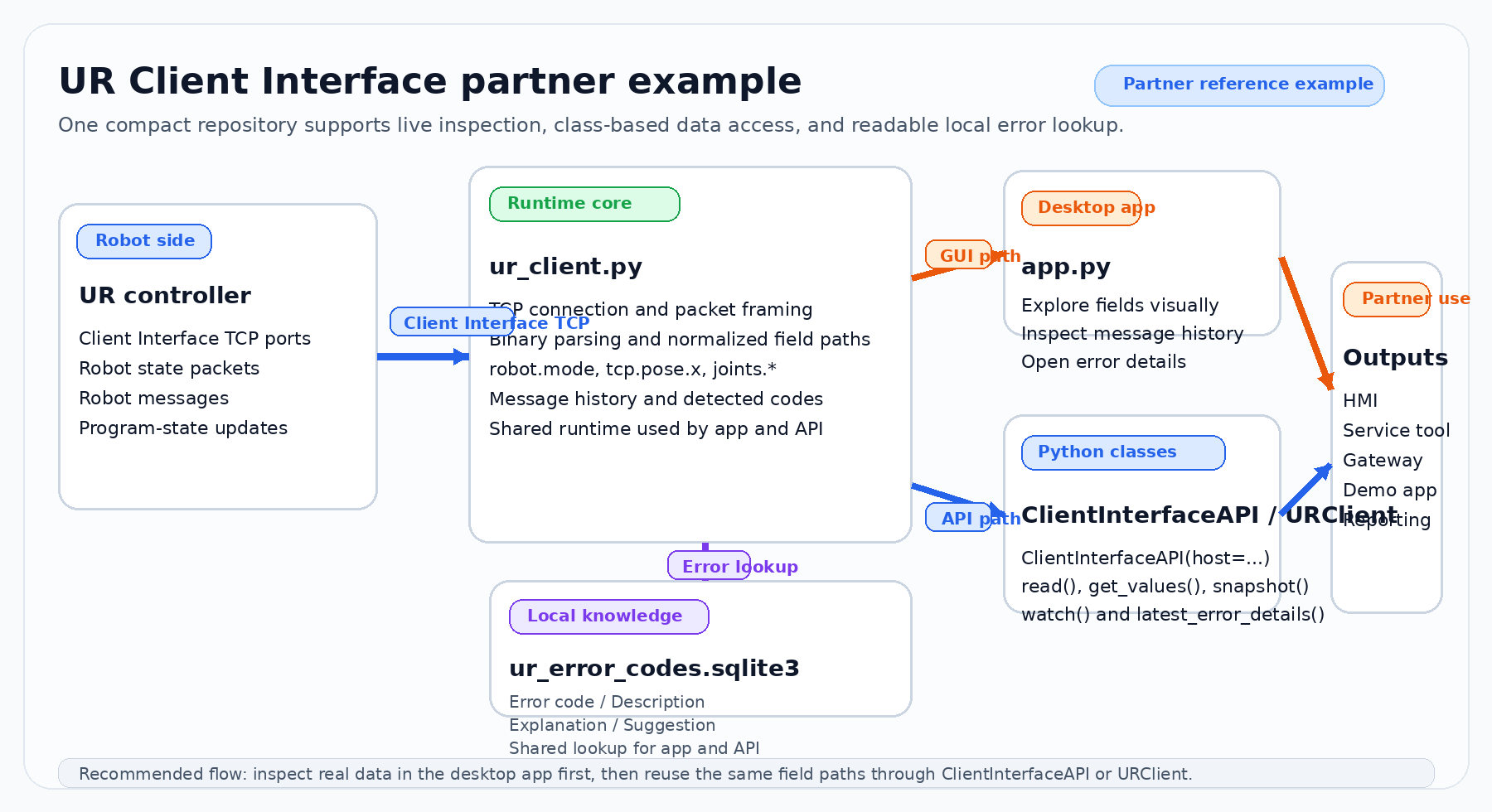
This project packages three ideas into one partner-friendly repository:
a desktop application for interactive inspection,
a single-file Python client library for integration work, and
a local error database that turns live robot error codes into readable descriptions.
The goal is not to replace an official SDK. The goal is to make the UR Client Interface easier to understand, easier to demo, and easier to embed into partner applications.
Replace this placeholder with your own project or architecture screenshot if you want to brand the documentation.#
Repository model#
The repository is intentionally compact.
app.pyThe interactive desktop monitor. It is suitable for demonstrations, diagnostics, commissioning, and internal training.
ur_client.pyThe core library. It contains the connection logic, packet parsing, state flattening, message history, error lookup, and the high-level
ClientInterfaceAPIwrapper.ur_error_codes.sqlite3The local lookup database that resolves an observed code into the four user-facing fields used by the GUI and API.
docs/The Sphinx manual for GitHub Pages and local HTML output.
Design goals#
This project follows a few practical design goals.
- Readable state access
Robot data is exposed through stable path-style keys such as
robot.modeortcp.pose.xso that partner code can read values without dealing with the raw binary layout every time.- Small repository surface
The runtime logic lives mainly in one library file, which makes it easier to review, copy, adapt, and maintain in environments where a very large package structure is undesirable.
- Human-friendly diagnostics
The GUI and API expose message history and resolved error information so that partner teams can build operator-facing interfaces instead of only raw technical logs.
- Separation of interactive and embedded use
The desktop app is convenient for a human operator, while the class-based API is convenient for services, automation layers, and internal integration components.
What you can read from the library#
Depending on the interface profile and the packets produced by the controller, the project can expose data such as:
robot mode and safety mode,
TCP pose,
per-joint positions and joint state,
selected robot messages,
program-state values such as global variable updates,
detected error codes and the resolved error description set.
Typical partner workflow#
A common way to use the project is:
start the GUI to see which fields and messages are relevant for a target machine,
select the interface profile that best matches the use case,
confirm the value paths you want to expose to your product,
move the same paths into
ClientInterfaceAPIcode,use the local error database to enrich your own HMI or reporting pipeline.
That workflow is the reason the repository contains both the app and the Python API. One helps people explore the data. The other helps applications consume it.